jQuery plugin Sliding a div over other div on mouse hover.Move the cursor arround the image bellow to make other side of the display item appear which is hidden with the effect of sliding that is where the power of Sliding Pop Hover plays role. The Sliding Pop Hover makes the other part which is hidden slide into the picture slowly when the cursor is on top of the view and plays reverse role when cursor leaves the view.
Archive for 2013
jQuery Sliding Pop Hover Plugin

jQuery Bootstrap-style Dropdowns
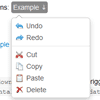
Bootstrap-style dropdowns in jQuery with some added features and no dependencies.
One of my favorite Boostrap plugins is dropdowns, but I had a bit of difficulty getting started with them. The docs say you can apply a dropdown to nearly any element, but they really seem to work best with Bootstrap’s navbar, tab, and pill components. Since I was retrofitting an app that was around long before Bootstrap, this wasn’t going to work for me. That and I was hoping to get a scrollable dropdown (with tips!) and a few other features out of the deal. Thus, this plugin was born.

Exploding Blocks with CSS and Javascript
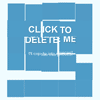
Ever wanted to make your HTML blocks explode when it’s clicked or touched? Well I did, and today I’m going to show you how I went about doing it. We’re mainly using CSS, but that’s all being run by Javascript just for ease. Read on to learn how it was done!
So I was kind of inspired by this little gif I saw that had a block explode when it was clicked, and I thought that was really cool. So I started thinking, how would you do that with CSS and maybe some Javascript? Well I figured it out using a bit of math, and it functions as a pretty cool delete button.
Infographic Charts and Graphics HTML Tags Library

This custom JS charting library created by PSDDude from 0 implements custom HTML tags which allow creating charts and graphs for infographics.
It is a light-weight, pure JavaScript charting library (NO jQuery or other libraries required) which makes use of HTML5 technologies and works on all modern browsers including IE, Chrome, Firefox, Opera, Safari.To use it you do not need to know any JavaScript, as all the charts are added as HTML tags. You can follow the very straight forward documentation which also contains examples.
The library allows creating: – Piecharts and doughnuts – Shape graphs – you can transform any image(PNG) into a graph – Shape bar graphs – use any image (PNG) to construct a bar chart – Line graphs – Barchart graphs

Facebook Style Search Friends using jQuery
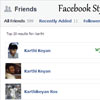
In this tutorial I have used jQuery to search friends like facebook style. With just a few lines of jQuery code and a small text input box you can add a search members / users / friends to any web projects.Previously I published the tutorial like live text search using jQuery.
Also I have used javascript RegExp function to performs case insensitive search.
The jQuery code for this trick is really easy and all we are doing is basically getting the input text value from the search box & checking that value against our list of friends in the “friendslist” div and showing those friends matches the searched keyword. The count of the number of matched friends is then displayed in our “result_area” div tag.
jQuery Handwriting Plugin

This is a javascript based tool that uses the canvas object to draw symbols. Each symbol is defined using multiple curves and each curve consists of start, end and control point. The tool comes with two sets of curves with limited number of symbols, but more symbols and more sets can be created and added to the tool in the future. The tool allows decoration of the curves with images defined by user. While the tool features more than 20 options to customize it can be used in a simple configuration.
Features:
- two sets of symbols The tool features two sets of symbols – one similar to Verdana font, and another one with more calligraphic look.
- 85 symbols in each set These are A B C D E F G H I J K L M N O P Q R S T U V W X Y Z a b c d e f g h i j k l m n o p q r s t u v w x y z 1 2 3 4 5 6 7 8 9 0 . , ! ? ( ) [ ] ; : @ $ % & * = + – / ’ ” > <
- size of animated symbols Can be set using a scale parameter.
- size of line height
- color of text
- stroke width
- top/left offset
- text alignment
- curves speed drawing.
- Pen can use different image set by user. Pen ball must be in top/left corner of pen image. Pen can be hidden.
- images Images can be used in the animation and are managed with several parameters.
- stroke above image.
- pause
- replay.
- finish effect.
- overall speed.
- complete/