Archive for 2013

    OWL Carousel : Touch enabled jQuery Carousel Slider plugin

    OWL Carousel : Touch enabled jQuery Carousel Slider plugin

    Owl Carousel is a jQuery plugin that allows us to create responsive carousel sliders so quickly. The plugin is touch-friendly and capable of featuring any HTML content with almost any markup.

    Features :

    • Responsive
    • Touch Event
    • Mouse Slide Events
    • Fully Customizable
    • Choose the number of items to be displayed
    • Multiple Sliders
    • CSS3 3d Transitions
    • Custimizable controlls

    jQuery Text Highlighter Plugin

    jQuery Text Highlighter Plugin

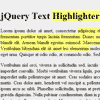
    jQuery Text Highlighter is a jQuery plugin for highlighting text fragments in HTML documents.Highlighting is realized by wrapping selected text in <span> tags.

    Features:

    • Highlighting text that spans multiple HTML tags.
    • Removing highlights.
    • Setting highlight color and custom text wrapper.
    • Callbacks for highlighting and removing highlights.
    • Serialization & deserialization of highlights.

    jQuery Corner Plugin : Create Rounded or other Styled corners

    jQuery Corner Plugin : Create Rounded or other Styled corners

    Corner is a simple plugin for creating rounded (or other styled) corners on elements.It’s important to understand that this corner plugin is pulling off its magic by adding more elements to the page. Specifically, it adds div “strips” to the item to be cornered and sets a solid background color on these strips in order to hide the actual corners of the real item. So if you step back and look at the cornered element, think of there being solid colored divs hiding the true squared off corners of the item you wish to be changed. This helps you understand the inherent limitations of this small plugin. It’s best suited for rounding off block-level elements (divs, paragraphs, etc) and may present more challenges when trying to round off inline elements (spans, anchors, etc).

    Recently I added support for native border-radius rounding in browsers that support it (Opera 10.5+, Firefox, Safari, and Chrome). So in those browsers the plugin simply sets a css property on the element. But in IE, we’ll have to wait for version 9 before that is supported. And for all browsers, choosing a pattern other than “round” requires the use of the “div stips” method.

    jQuery BlockUI Plugin

    jQuery BlockUI Plugin

    The jQuery BlockUI Plugin lets you simulate synchronous behavior when using AJAXwithout locking the browser[1]. When activated, it will prevent user activity with the page (or part of the page) until it is deactivated. BlockUI adds elements to the DOM to give it both the appearance and behavior of blocking user interaction.

    FancySelect : jQuery fancy Select Element

    FancySelect : jQuery fancy Select Element

    A better select for discerning web developers everywhere.FancySelect is easy to use. Just target any select element on the page, and call .fancySelect() on it. If the select has an option with no value, it’ll be used as a sort of placeholder text.

    FormMapper : Address Autocomplete & Geolocation with jQuery

    FormMapper : Address Autocomplete & Geolocation with jQuery

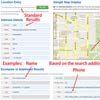
    An advanced jQuery plugin that utilizes the Google Maps API’s Geocoding and Places Autocomplete services. You simply provide a single input field that lets you search for locations with an autocomplete dropdown. Optionally: you can add a map container that will display an interactive map with drag and drop location finding capabilities and a form that will be populated with the complete address details including the latitude and longitude coordinates.

    Taggd : jQuery plugin to Tag Images

    Taggd : jQuery plugin to Tag Images

    “A picture is worth a thousand words”, but sometimes even a thousand words are just not enough.Taggd is a jQuery plugin that help you create tags on images with, or without a popup!

    jQuery expose : Highlight Elements on a Page

    jQuery expose : Highlight Elements on a Page

    Create a modal backdrop over everything except specified exposed elements.

    Sometimes you want to highlight elements on a page. There are many techniques out there will but a backdrop over the entire document and try to bring elements to the forefront via relative positioning and z-indexes. This can fail for many display types (individual table rows, fixed position elements). Additionally, you have to ensure that the element will stand out in front of the backdrop (white background or something similar).

    To get around this, instead of highlighting the element, we will obscure everything else on the page except the elements that we want to show through.

    LazyMouse : jQuery Plugin to Detect Mouse Inactivity easily

    LazyMouse : jQuery Plugin to Detect Mouse Inactivity easily

    To detect mouse inactivity easily, here is the LazyMouse jQuery plugin, which attaches two new events to the body element: one is mouse.active and another one is mouse.inactive. You can just add two listeners for those events and do whatever you want to do.