

I found this two years old Dribbble shot by Ignacio Giri. Don’t ask me how, I just don’t remember how did I stumble upon it but one thing is clear: I bookmarked this dropdown menu concept, stared at it a bit and then I thought about making something similar with CSS.
Archive for 2013

Visual LightBox: Beautiful jQuery Lightbox

Visual LightBox JS is a free wizard program that helps you easily generate web photo galleries with a nice Lightbox-style overlay effect, in a few clicks without writing a single line of code. Just drag&drop your photos into Visual LightBox window, press “Publish” and your own web gallery with beautiful LightBox 2 effects will open in the browser instantly! No javascript,css,html coding, no image editing, just a click to get your gallery ready.
Visual LightBox is available as Prototype or jQuery plugin, for Windows and Mac, it is translated to 31 languages!
Features:
- Cross-browser – works perfectly on all browsers (including IE6)
- GUI wizard – no coding, just point-&-click
- Responsive – smoothly adapts to any browser resolutions and device screens
- Mobile-ready – optimized for Android and iOS devices
- Search engine friendly and semantically valid
- Unobtrusive – even without Javascript, the images are still accessible

jquery.arbitrary-anchor.js : jQuery Smooth Scrolling

With jquery.arbitrary-anchor.js , you can easily create useful and neat dynamic anchor scrolling by simply adding a jQuery/CSS selector after the hash (#) in your page’s URL. This plugin extends the normal anchor functionality, that is, an anchor tag with a name value attribute will still get scrolled to as normal. The same goes for an element with an ID which matches the hash. This little plugin will take care of everything else.


jQuery formHelp
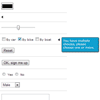
Providing contextual help in a standard HTML form requires all kinds of extra HTML and CSS (and JavaScript if you want it to play nice with the user). This plugin gives you an easy way to place contextual help at every input field in a form. All you have to do is insert a span element with the helptext and a reference to the corresponding input field and this plugin does the heavy work for you.
RTP.Slider.js: jQuery Touch Enable and Responsive Slider Plugin
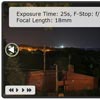
RTP.Slider.js is a versatile and flexible slider. Strong support for fluid / responsive Designs, mobile browsers and touch devices. It has nearly every feature that you can find in other sliders on the web.
Features:
- Carousel/Endless mode
- Support for touch events
- Simulated touch events via mouse
- Support for fluid viewports
- Also works in vertical mode
- Various widgets and plugins
- Autosliding with control widget
- Extensible through plugin hooks
- Custom animations for sliding
- Experimental 3d carousel widget
Transitions for Off-Canvas Navigations with CSS3 & JavaScript

Today we’d like to share another set of transition effects with you. This time we’ll explore transitions for sidebars or off-canvas content like the one we’ve used in the Multi-Level Push Menu. The idea is to show some hidden sidebar with a subtle transition on the element itself and also on the remaining content. Usually the sidebar slides in, pushing the other content to the side. But there are many more possibilities for subtle and fancy effects and today we want to give you some inspiration.


