Archive for 2013

    Ion.ImageSlider : jQuery image slider with lightbox and skin support

    Ion.ImageSlider : jQuery image slider with lightbox and skin support

    jQuery image slider with lightbox and skin support.

    Features:

    • Ion.ImageSlider — nice and powerful image slider and lightbox at once.
    • Lightbox supports keyboard controls with ESC, LEFT and RIGHT button.
    • Crossbrowser: Google Chrome, Mozilla Firefox, Opera, Safari, IE(8.0+)
    • Ion.Image Slider supports touch-devices (iPhone, iPad, etc.).
    SmarTicker : A Smart jQuery News Ticker Plugin

    SmarTicker : A Smart jQuery News Ticker Plugin

    SmarTicker is a jQuery smart news ticker plugin that is so simple to use like 1, 2, 3.

    1. Include jQuery 1.8.2 and newer for best performance and SmarTicker Css/Js files
    2. Create base Html structure with <ul> and <li>
    3. Call SmarTicker() method on target element, And…

    dolly.js : Clone your tables easily with jQuery

    dolly.js : Clone your tables easily with jQuery

    Dolly.js is a simple and generic jQuery UI widget that adds excel-like cloning functionality to your tables. It works with any tabular structure (not only semantic html tables) and does not make any assumptions about the underlying data structure. It handles the UI part of cloning only – the implementation of business cloning logic is left to the widget’s users.

    FullPaged: A Single Paged Layout jQuery Plugin with UI Animations

    FullPaged: A Single Paged Layout jQuery Plugin with UI Animations

    Single page layouts are taking off in a big way. It seems as if every product page nowadays is single paged, so I thought I’d have a little spin at it with this jQuery plugin. This allows you to create single paged layouts with a few optional custom UI elements such as fold up menus.

    I’ve tested this on most major platforms and browsers and it seems to work fine on all of them. The idea is simple, it lets you make a quick single page layout and gives you the option of some UI effects, such as disappearing pieces of image to reveal menus. I’ve also added some options to disable all that if it’s not for you. How does it work? Well let’s have a look.

    Device.js : Write Device based conditional CSS and JavaScript

    Device.js : Write Device based conditional CSS and JavaScript

    Device.js makes it easy to write conditional CSS and/or JavaScript based on device operating system (iOS, Android, Blackberry, Windows, Firefox OS), orientation (Portrait vs. Landscape), and type (Tablet vs. Mobile).

    jQuery Equalizer : Multi-row column resizer

    jQuery Equalizer : Multi-row column resizer

    Equalize column heights across multiple rows.

    Features:

    • Equalize column heights across multiple rows.
    • Resize column heights when the page is resized. Can be disabled for fixed width layouts.
    • Choose between height (default), outer height or inner height.
    • Set a minimum or maximum height of a column, with an css class added when content overflows for additional styling.
    • Set a breakpoint to disable the Equalizer plugin when the wrapping element size is below a set width.

    HTML5 Drag And Drop To Create A Shopping Cart

    HTML5 Drag And Drop To Create A Shopping Cart

    The release of HTML5 introduced native Drag and Drop functionality to modern web-browsers. This means it is now possible to have movable elements on screen without the aid of frameworks like jQuery. This week we’ll be taking advantage of the drag and drop functionality to create a basic shopping cart. The basic functionality we’ll cover, will be adding an item to the cart and if it already exists updating the quantity and totals.

    jQuery Crystal Notifications

    jQuery Crystal Notifications

    Two main functions, Small Notifications that works like banners and a Notification Center that can be use as website control or sistem notification panel.

    Features:

    • Touch Enabled
    • Responsiveness
    • Infinite options
    • Easy to set up
    • Callbacks
    • Properties to change
    • Can hold custom HTML
    • Retina Display ready

    jQuery Gradient Picker Widget

    jQuery Gradient Picker Widget

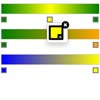
    A jQuery plugin to allow you to add gradient choosers to your website.

    • The type of gradient (radial, linear) is configurable as well as the fill direction of the gradient.
    • Currently works in Webkit, Mozilla and Opera. Support for IE may be coming in a future version.
    • Control points can be added by clicking on the gradient preview
    • Control points may be removed by clicking the “x” on that control point’s color configuration
    • The colors of individual control points may be assigned

    Animated Checkboxes and Radio Buttons with SVG

    Animated Checkboxes and Radio Buttons with SVG

    By animating an SVG path with JavaScript, we can do many fancy things. Today we want to show you some effects for checkboxes and radio buttons. The idea is to hide the inputs, use pseudo-elements to create a more appealing style and then animate the SVG paths once an input is selected.