Archive for 2013

    jQuery Ajax StartDelay

    jQuery Ajax StartDelay

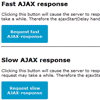
    A small jQuery plugin providing a delay to be set before the handler is called in jQuery’s .ajaxStart().

    The .ajaxStart event handler in jQuery calls the handler immediately when the ajaxStart event is triggered. In other words: when the AJAX request is made the handler is called. Most of the time the handler is used to show the user some kind of notice like ‘please wait a minute’ while the AJAX request-response cycle is on its way. It’s annoying to see this notice everytime an AJAX request is made. It’s nicer when this notice only shows up when the request-response cycle takes longer than a few seconds. This plugin provides the functionality to delay the call to the handler.

    The plugin is simply a wrapper around the .ajaxStart event handler.

    Galereya : Easily customizable jQuery gallery with a masonry layout

    Galereya : Easily customizable jQuery gallery with a masonry layout

    Responsive, easily customizable jquery gallery with a masonry layout. Almost all animation and effects are based on CSS features.Works on Chrome, Safari, Firefox, Opera(turned off some CSS animations), IE7+(Graceful degradation), Android browser, Chrome mobile, Firefox mobile, Safari on iOS and etc. Galereya effects and browser compatibility depends on your custom CSS styles a lot!

    jQuery Flat Event Calendar Responsive Timeline

    jQuery Flat Event Calendar Responsive Timeline

    It’s a responsive event calendar. It can also be used as a timeline. It’s suitable both for responsive and fixed layout. Its features :

    • Flat UI.
    • Supported by all major browsers.
    • Responsive design.
    • 5 layouts included.
    • Own layout can be customized.
    • Almost fully css customizable.
    • Metro and iOS7 inspired.

    formatter.js : Format html inputs to match a specified pattern

    formatter.js : Format html inputs to match a specified pattern

    Format html inputs to match a specified pattern.Sometimes it is useful to format user input as they type. Existing libraries lacked proper functionality / flexibility. Formatter was built from the ground up with no dependencies. There is however a jquery wrapper version for quick use.

    jQuery icbiacontrol : Style browser controls

    jQuery icbiacontrol : Style browser controls

    Jquery-icbiacontrol is a jQuery plugin that helps you style native browser controls without losing their native behaviors.

    It works by adding custom, styleable markup to the DOM right next to the original control, which is then made transparent and positioned on top of your custom widget. That way, when you interact with the styled widget, you’re actually interacting with the native browser control.

    For example, when you use the plugin with a select box, you style only the “display” part. When the widget is engaged, the normal browser dropdown is shown. iOS will show its little scrolly wheel thing; desktop browsers will show the native dropdown list.

    WhatsNearby : jQuery plugin to list and show nearby Places

    WhatsNearby : jQuery plugin to list and show nearby Places

    A jQuery plugin to list and show nearby places around a certain position using Google Maps.

    Leroy Zoom : Image zoom and Magnify jQuery plugin

    Leroy Zoom : Image zoom and Magnify jQuery plugin

    A lightweight and easy to use image zoom and magnify jQuery plugin with less than 4 KB.

    This plugin works on a 2-steps zoom behavior:

    1. Show details of image in the medium version when user over the thumb image;
    2. Magnify and show details of the large image version when user click to “Magnify”.

    You’ll need three versions of the same picture with different dimensions (small, medium, large). The first version (small) is shown by default and is the one which user will over the mouse to view the first-step details. Then, the user can “click to magnify” to see the second-step details of image and the large picture version is used for this.

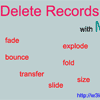
    Delete Records with Multiple Animations using jQuery

    Delete Records with Multiple Animations using jQuery

    Every language & libraries has its own competitors. jQuery is hardly competitor to Flash. Now a days every web developers prefer to choose jQuery instead of Flash because of its ultimate UI Effects. jQuery leads when its come to SEO point of view where Flash doesn’t.

    Deleting records in your web applications is must. So today I am going to tell you how to add multiple animations to delete records using jQuery.

    TileBox jQuery : Modern Responsive LightBox

    TileBox jQuery : Modern Responsive LightBox

    TileBox jQuery – Modern Responsive LightBox is a small jQuery plugin that is used to create modern lightbox with CSS3 Animation Effects and customizing options for modern browsers. Please check demos below to see how it works.

    Features:

    • Responsive Design.
    • CSS3 Animation Effects.
    • Size Switcher.
    • Combine Inline and AJAX content.
    • Support Touch Swipe and Left, Right Keys to move prev/next box.
    • Full Screen Custom Content.
    • Show/Hide Thumbnail Ribbon.

    stickUp : jQuery Plugin to “sticks” an Element

    stickUp : jQuery Plugin to "sticks" an Element

    stickUp is a jQuery plugin, which you can implement on any webpage alongside jQuery. You can easily make any element, on any page, stick to the top of the browser window as the user scrolls past it. This feature is excellent for navigation menus, logos and/or contact information, which you may want the user to see at all times.