

Comes out of the box in two variations and with incredible options of customization: Flexible dimensions, unlimited colors and two different button sets for light and dark themes. Easy to set up. Just a few lines of Javascript and a quantum CSS.
Archive for 2013
Etalage : jQuery Image Zooming plugin

A ready to use jQuery image zooming plugin to present your images in the highest detail without leaving the page.Simply link to the JavaScript and CSS files and apply it to your HTML element like other jQuery plugins. Customize the settings and CSS to match your style and purpose.
Features:
- Customizable by CSS and plugin options
- Precise positioning of all elements based on your image dimensions and CSS
- The small thumbnails are automatically generated, sized and positioned
- Low resolution preview (enlarged thumbnail) while downloading the zoomed image (except in IE)
- Optional easing of the zoomed image movements
- Optional autoplay
- Optional descriptions/captions
- Unlimited number of images
- Align Etalage left/right, with the zoom area on the opposite side
- Small thumbnails can be positioned below or on the left/right (vertically)
- Multiple instances per page possible
- Right-to-left language support
- Optional external controls for previous/next/specific image
- Advanced: customizable callback functions
- Works in all common browsers (and IE6 )
- Includes an “absolute basic” and 6 more example files to get you started

Create a Simple Multi-Item Slider in jQuery & CSS3

In today’s tutorial we want to show you how to create a simple item slider with CSS animations and some jQuery. The idea was inspired by the Aplle product slider where several little items fly in with a bouncing animation. We wanted to translate this concept to a modern-looking alternative for a minimal online store design where the items represent different categories. Categories as use-case fit quite well because of the limited nature of this type of slider. For more items to be shown, this is certainly a far-from-optimal solution. If the amount of items is limited this might give an interesting little touch to the experience.
jQuery powered HTML5 navigation menu

This is a simple HTML5 and jQuery powered navigation menu. It uses some simple CSS3 for some minor presentational enchancement (like border-radius and text-shadow).
The purpose behind it’s creation was to provide a semantic and easily implemented way of creating simple good-looking site navigation. In that spirit, it’s usage is incredibly simple.
Majuro.JS : Make Interactive Maps with open buildings data
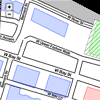
Majuro.js is an open data platform. In each city, users select a neighborhood or draw a custom area to extract buildings. They then can color-code, annotate, and describe each building, before creating a static site by forking the repo and adding their JSON data through Github’s web interface.
The objective is to develop custom maps based on cities’ public data, without leaving the web browser or introducing command line tools.
Build a Simple Yahoo! Answers API Webapp with PHP & jQuery
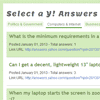
In this tutorial I’d like to focus on the Yahoo! Answers API. We will be creating a simple webapp that pulls all recently answered questions from a select few categories. The API delivers results via XML or JSON, so we have the option to build with any backend programming language. Although for this guide I’ll stick to PHP since it’s the most commonly understood backend language.

jQuery Real Person Captcha Plugin
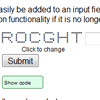
A jQuery plugin that enhances an input field to help reduce automated form submission by requiring a “real person” to identify text made up of dots. The entered value is compared on the server with the generated value to determine whether processing should continue.
The real person functionality can easily be added to an input field with appropriate default settings.You can also remove the real person functionality if it is no longer required.


