

Introducing, BlogFace 1.0, a new jQuery plugin that will build a brick-wall view for your blog home page. All you need to do is specify your blog URL in your javascript. More recent articles will be better positioned and will have a better size. Additionally, every article on the interface will have a zoom on mouse hover effect. This zoom effect can be toggled at run time by pressing “b”.
Archive for 2013

Using HTML5 Geolocation API with Google, Bing and Nokia Maps

HTML5 Geolocation API allows users to share their location with web applications by capturing the approximate longitude and latitude coordinates of the user with their permission. The Geolocation feature can be used to enrich many types of web applications by adding automatic location information. For example, users can share their locations with their friends in a social network, can be guided to a direction or location based ads can be displayed. The Geolocation API can be paired up with different maps, such as Google Maps, Yahoo Maps, Bing Maps or Nokia Ovi Maps.
As far the use privacy is concerned, the HTML5 specification explicitly requires the user permission to share its location to any application requesting Geolocation information.Almost all modern browsers Firefox 3.5+, Opera 10.6+, Chrome 5+, Safari 5+ and Internet Explorer 9+ support Geolocation API.
Metro Login with jQuery & CSS3

This is a Login form that use CSS3 and jQuery Tricks to look like windows 8 login screen.The PHP side, you have an easy way to get the username, password, remember me checkbox, selected background color and selected background image. So you can store those values to restore them later.
Also works on tablets and mobile devises.Inside of this package, there is a document that explain the code. I also give you a couple of functions that can change the buttons and backgrounds easyly
Dropzone.js : jQuery drag’n’drop File Upload library

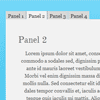
Dropzone.js is a light weight JavaScript library for jQuery that turns an HTML element into a dropzone. This means that a user can drag and drop a file onto it, and the file gets uploaded to the server via AJAX.
Features:
- Image thumbnail previews. Simply register the callback
thumbnail(file, data)and display the image wherever you like - Multiple files and synchronous uploads
- Progress updates
- Support for large files
Zozo Accordion : jQuery Responsive and Touch-Friendly

Zozo Accordion is not just another accordion. It’s responsive and touch-friendly with a lot of customizaton options that can be integrated into your site/blog quickly without writing any code. Some of it’s key features includes: such as horizontal & vertical accordion, Built-in WAI-ARIA Support, 10 unique themes, semantic HTML5 and SEO friendly, Keyboard navigation and much more. Note: This is not a WordPress plugin but it can be easly integrated.
jCanvaScript : JavaScript Library to manage Html5 Canvas Element

jCanvaScript is a javascript library that provides you methods to manage with the content of a HTML5 canvas element easily. It runs on any platform (including iPhone, iPad, Android) that supports canvas and JavaScript. To add support for canvas in Internet Explorer you can use ExCanvas.
Features:
- Fully Object Oriented
- Provides access to the canvas context
- Provides mouse-events to all objects
- Provides keyboard-events to all objects
- Provides drag’n’drop
- Easy methods to manage objects
- Provides easy objects animation
Creating a CSS3 Responsive Menu with jQuery
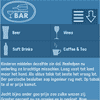
This tutorial aims to provide step by step instructions to enable you to create a responsive navigation menu that adapts to varying screen sizes, with the help of CSS media queries.
I adopted the Mobile First approach to designing the menu. In essence, this approach adopts a strategy of designing for mobile devices first, then working your way up to larger ones, such as desktop monitors. The base design is developed for the popular dimensions of mobile devices – 320 x 480. I then utilised media queries, primarily for scaling up to larger screen sizes, but also as an effective tool for enhancing the design.


