Archive for 2013

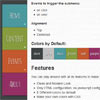
    jQuery Box Accordion Menu – Responsive

    jQuery Box Accordion Menu - Responsive

    You can play around with all its features to make your own.

    • Clean and Modern Look.
    • Only HTML configuration, no javascript configuration needed.
    • 8 Different colors by default.
    • Make your own colors with CSS.
    • Choose the color of your preference and make you own menu.
    • Responsive design (3 different modes).
    • The responsive design is in a different CSS file and its optional.
    • You can make your own themes and apply it easly.
    • Customizable through css.
    • Simple html mark up.
    • Accordion Effect for submenus.
    • Cross browser compatibility.
    • Twitter Bootstrap compatible.

    jmpress.js : jQuery plugin to build a website on the infinite canvas

    jmpress.js : jQuery plugin to build a website on the infinite canvas

    A jQuery plugin to build a website on the infinite canvas.Started as a jQuery port of impress.js and utilizes the power of CSS3 transforms and transitions in modern browsers.

    CanvasQuery : jQuery Html5 Canvas Library for Game Developers

    CanvasQuery : jQuery Html5 Canvas Library for Game Developers

    Canvas Query is a wrapper library for HTML5 Canvas element which allows it to be used with jQuery like syntax. Also it adds a lot of common use image manipulation methods mainly convenient for gamedevelopers.

    Zino UI : jQuery based User Interface Framework

    Zino UI : jQuery based User Interface Framework

    Zino UI is jQuery based, WAI-ARIA compatible, user interface framework consist of 23+ different components. Cross-platform user interface framework for you Web & Enterprise applications. A delightful addition to your CMS, Back-end and Front-end interfaces. Zino UI is brought by programmers for programmers and designers.

    2 plus 2 – jQuery plugin

    2 plus 2 - jQuery plugin

    jQuery 2 + 2 is an awesome library which enables jQuery to add numbers and a lot of other hard math operations!

    3D Image Gallery Room with jQuery & CSS3

    3D Image Gallery Room with jQuery & CSS3

    Today we want to share another 3D experiment with you: a gallery room in 3D. The idea is to create a realistic environment for an image exposition using CSS 3D transforms. Images are “hanged” along a wall which will have an end. Once the end of the wall is reached, a rotation will happen and we’ll be turned to the next wall whith more images. To give a real sensation of being in a room, we only have four walls and corners. Each image will have a little description tag with a small-sized font and when clicking on it, a larger version will appear from below.

    Responsive Slideshow Photo Gallery Grid with Html5

    Responsive Slideshow Photo Gallery Grid with Html5

    The Responsive Slideshow Photo Gallery has a fluid / flexible / responsive layout. Basically the grid is added into a html page into a div of your chosing and it’s adapting based of that div’s width, the grid height is modified based on the number of thumbnails and if other elements are below the grid div they will be pushed down automatically (document flow). In the examples provided you can see a few ways in which you might use this grid, of course that other configurations are possible.

    Pure OOP JavaScript code, no usage of jQuery or other libraries, in this way there will be no incompatibilities with HTML pages that might be using jQuery or other JavaScript libraries.

    The Responsive Slideshow Photo Gallery is using the GPU (hardware acceleration) using HTML5 standards. The rendering speed and performance is impeccable on desktop computers and most importantly on mobile devices, the way it works it will try to use CSS3 and if this is not available it will down fall to CSS2 or CSS1 for older browsers like IE7 and IE8.

    jQuery Instagram Plugin

    jQuery Instagram Plugin

    A simple jQuery plugin to show a list of Instagram photos.

    DTooltip : jQuery plugin for tooltips

    DTooltip : jQuery plugin for tooltips

    Awsome jQuery plugin for tooltips.DTooltip is designed to be flexible and still very simple to use. The main features are:

    • Style the tooltip with pure CSS.
    • Supports HTML in the tooltip.
    • Works nicely in IE8+.
    • Automatic handling of the psuedo elements creating the arrows.

    iPhone Style Dragging for Both Desktop and Mobile with jQuery

    iPhone Style Dragging for Both Desktop and Mobile with jQuery

    When we create stuff for the web now it’s important we remember that the web has spread from the trackpad and mouse to the touch screen. Sometimes this is hard to accomodate for, but it’s not that hard to create some awesome cross device friendly touch and drag events with HTML5 and some smart styling!

    I’ve made a little plugin that lets you grab and drag your way through a bunch of pictures of album artwork, similar to you drag through objects on an iphone at the start screen. Check out the demo to get a feel for what we’re going to be creating. The plugin isn’t too difficult to understand and you can download the finished version above, but when I first designed it, it only worked with mouse drags.